
Your cart is empty
Your cart is currently empty. Let us assist you in finding the right product.


Want to learn how to build modern, professional-looking websites without spending weeks trying to figure everything out? This Flux Pro Masterclass is designed to help beginners, aspiring web designers, freelancers, entrepreneurs, bloggers and business owners understand how to use a professional website template to create attractive and functional websites faster.
Instead of starting every website project from a completely blank screen, you can learn how to work with an established design system, customize layouts, structure your pages, maintain consistent branding and transform a template into a website that matches a business, personal brand or project.
Whether you want to build a website for yourself, create websites for clients, start offering web design services, or simply improve your existing website-building skills, this class gives you a practical foundation for working with Flux Pro and modern website design workflows.
Flux Pro is a professional website design solution built around ready-made layouts, reusable design elements and customization options that can help simplify the process of creating a polished website.
For someone learning web design, working with a structured template can be a useful way to understand how modern websites are organized. Rather than worrying about every design decision from scratch, you can study existing layouts and learn how to customize them according to the purpose of your website.
This makes Flux Pro particularly useful for people who want to move from basic website creation into more professional-looking projects.
This is more than simply installing a template. The goal is to help you understand how to approach website creation from planning and installation through customization and optimization.
One of the most important skills in website design is learning how to transform a generic template into a website that feels unique.
A professional template can be adapted to different website purposes. During the learning process, you will understand how to think about your website according to its intended audience and function.
One common mistake beginners make is changing every section individually without considering the overall design system. This can make a website look inconsistent.
You will learn why global styling is important and how consistent colors, typography, spacing, buttons and other design elements can make a website feel more professional.
💡 Professional Design Principle:
A good website is not simply about adding more effects and elements. It is about creating a clear visual hierarchy, consistent branding, easy navigation and a smooth experience for visitors.
Today, many visitors access websites using smartphones and tablets. That means a website should not only look good on a desktop computer.
The masterclass introduces the importance of checking layouts across different screen sizes and making sure text, images, buttons, menus and other elements remain usable.
A beautiful website is only part of the equation. You should also understand some of the practical factors that can affect website performance.
These practices can help create a better user experience, although actual performance will also depend on your hosting provider, website configuration, plugins, media files and other technical factors.
Search engine optimization should be considered from the beginning of a website project rather than treated as an afterthought.
You will learn the importance of creating useful page content, clear headings, descriptive titles, readable URLs, optimized images and a logical website structure.
📌 Important:
A template alone does not guarantee search-engine rankings. SEO results depend on content quality, technical implementation, competition, authority, user experience and many other factors.
Many website tools offer both free and premium options. Free versions can be useful for learning and experimenting, while premium versions may provide additional features, layouts, customization options or support depending on the product and license.
In this class, you will understand how to approach premium website-building tools strategically rather than simply installing everything available.
This is especially useful for freelancers and entrepreneurs who need to balance professional results with project budgets.
Learning website design can open up opportunities to create websites for individuals, businesses, organizations and personal brands.
Instead of learning only how to operate a template, the bigger goal is to understand how to deliver a complete website project professionally.
Your earning potential will depend on your skills, portfolio, pricing, marketing, client acquisition, service quality and consistency. The course provides knowledge and practical guidance; results are not guaranteed.
WATCH → PAUSE → PRACTISE → REWATCH → CUSTOMIZE → TEST → LAUNCH
Don't simply watch the tutorial from beginning to end. Follow along with your own website and practise each step as you learn it.
Pause when necessary, repeat difficult sections and experiment with your own designs. The more you practise, the more comfortable you become with the website-building process.
Regular Price: $79.99+
GIVEAWAY PRICE: $9.99
Get the Flux Pro Masterclass + Template Access for just $9.99.
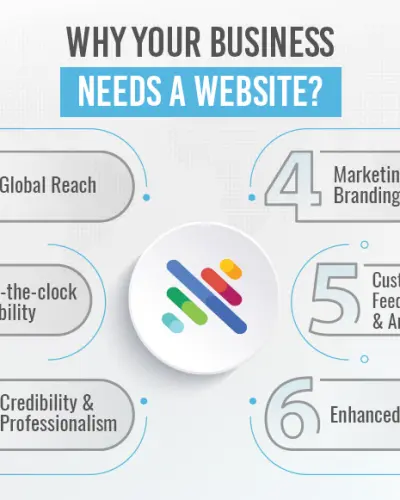
Websites have become an important part of how businesses, professionals and organizations present themselves online. Having the ability to build and customize websites can therefore be a useful digital skill.
With the right practice, you can use what you learn to create your own online presence, improve existing websites or develop website design as part of a broader freelance or digital services business.
Your website design journey starts with learning the fundamentals and putting them into practice.
Flux Pro can provide a structured starting point for people who want to create modern websites without designing every component completely from scratch. More importantly, learning how to customize a professional template teaches you valuable concepts around layout, branding, responsive design, content structure and website presentation.
Whether your goal is to build a website for yourself, develop a portfolio, start offering website services or expand your digital skills, the knowledge from this masterclass can give you a practical foundation to keep learning and improving.
Remember: the template is only a tool. Your creativity, content, design decisions, technical skills, attention to detail and ability to understand your audience are what ultimately shape the finished website.
Don't just watch other people build websites. Learn the process, practise it yourself and start creating.
Get the Flux Pro Masterclass + Template Access today for just $9.99
Whether you're a beginner, entrepreneur, freelancer or aspiring web designer, this is an opportunity to add another valuable digital skill to your toolbox.
🌐 LEARN IT. BUILD IT. CUSTOMIZE IT. LAUNCH IT.
Your email address will not be published. Required fields are marked *
Please login to write review!
Looks like there are no reviews yet.
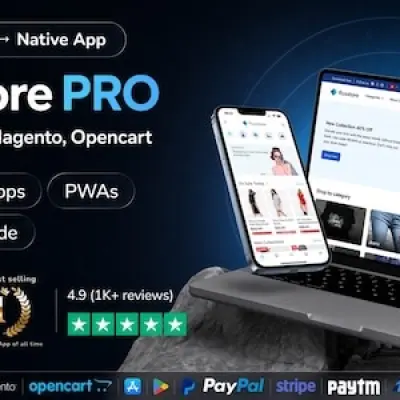
Flux Pro Complete Masterclass + Template Access
SKU: GV-L5JG



Buy ₦100.00 more to get free shipping
Your cart is currently empty. Let us assist you in finding the right product.